

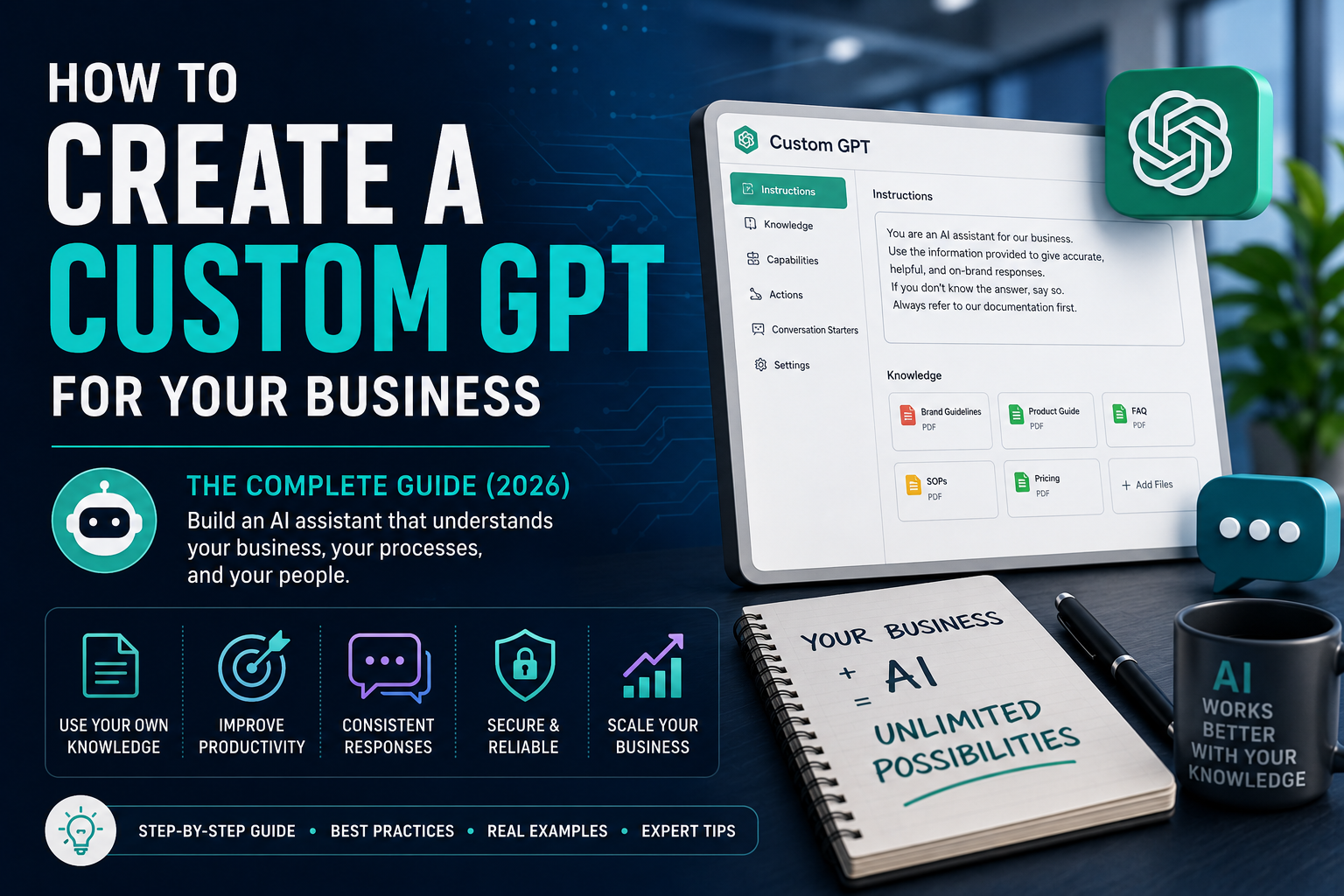
Custom GPTs Are Changing How Businesses Use AI
Artificial intelligence has quickly become one of the most valuable tools available to businesses. Teams are using AI to write content, analyse data, answer customer questions, create marketing campaigns, summarise meetings, draft emails, and automate repetitive tasks.
However, many businesses eventually encounter the same problem.
They ask ChatGPT a question…
…and receive an answer that doesn’t truly reflect their business.
The AI doesn’t know:
- Your products
- Your services
- Your customers
- Your processes
- Your brand voice
- Your policies
- Your documentation
In other words, it’s intelligent—but it doesn’t know your business.
This is exactly why Custom GPTs have become one of the fastest-growing business applications of artificial intelligence.
Instead of relying on a general-purpose AI assistant, businesses can create a Custom GPT trained on their own knowledge, documentation, and processes.
The result is an AI assistant that understands how your business operates.
In this guide, you’ll learn what a Custom GPT is, why businesses are building them, how they work, what you’ll need before creating one, and the best practices for building an AI assistant that actually delivers value.
What Is a Custom GPT?
A Custom GPT is a personalised version of ChatGPT that has been configured for a specific purpose.
Rather than starting with a blank AI assistant, you provide it with instructions, knowledge, documents, and rules so it behaves in a way that’s relevant to your business or role.
For example, a Custom GPT can be trained to:
- Answer questions about your products
- Follow your company’s tone of voice
- Reference internal policies
- Draft emails using your preferred style
- Help employees follow SOPs
- Assist with customer support
- Create marketing content based on your brand guidelines
Think of it as giving ChatGPT a detailed understanding of your organisation.
Instead of repeatedly explaining your business every time you start a conversation, the GPT already knows the context you’ve provided.
How Is a Custom GPT Different From ChatGPT?
Many people assume ChatGPT and Custom GPTs are the same thing.
They’re not.
ChatGPT is a general-purpose AI assistant.
A Custom GPT is a specialised AI assistant designed for a specific business, department, or task.
Here’s a simple comparison:
|
ChatGPT |
Custom GPT |
|---|---|
|
General knowledge |
Your business knowledge |
|
Generic responses |
Brand-specific responses |
|
Learns from each conversation only |
Starts with your uploaded instructions and documents |
|
Suitable for many topics |
Built for specific business tasks |
|
Requires repeated context |
Already understands your processes |
Neither is “better.”
They simply solve different problems.
In fact, every Custom GPT is built on top of ChatGPT.
Why Businesses Are Building Custom GPTs
Businesses aren’t creating Custom GPTs because AI is trendy.
They’re building them because repetitive work consumes enormous amounts of time.
Consider how often employees answer the same questions.
Examples include:
- “Where is the latest pricing document?”
- “What’s our refund policy?”
- “How do I onboard a new client?”
- “Can you summarise this proposal?”
- “What’s our tone of voice?”
- “How should we respond to this customer?”
These questions often require employees to search through documents, emails, or internal systems.
A well-designed Custom GPT can dramatically reduce that friction.
Instead of searching through folders, employees simply ask the GPT.
The AI retrieves relevant information based on the knowledge you’ve provided.
This doesn’t replace employees.
It allows them to spend more time solving problems and less time searching for information.
Real Examples of Custom GPTs
One of the biggest misconceptions is that every business needs the same type of AI assistant.
In reality, Custom GPTs can be designed for almost any department.
Here are a few practical examples.
Marketing GPT
A marketing team might build a GPT that understands:
- Brand guidelines
- Tone of voice
- Customer personas
- Marketing strategy
- Product information
- Campaign frameworks
Instead of asking:
“Write a Facebook post.”
The marketer could ask:
“Create a Facebook post for our premium coaching program targeting small business owners while following our brand voice.”
Because the GPT understands the company’s positioning, the output becomes far more relevant.
Sales GPT
Sales teams often work with:
- Sales playbooks
- Objection handling
- Pricing documents
- Discovery questions
- Product knowledge
A Custom GPT can help representatives prepare for calls, answer product questions, and draft personalised follow-up emails using the company’s preferred sales methodology.
Customer Support GPT
Support teams repeatedly answer similar questions.
A Customer Support GPT can reference:
- FAQs
- Return policies
- Warranty information
- Troubleshooting guides
- Product manuals
This helps staff respond more consistently while reducing the time spent searching for answers.
HR GPT
Human Resources departments manage large amounts of documentation.
Examples include:
- Employee handbooks
- Leave policies
- Onboarding documents
- Training resources
- Internal procedures
Instead of emailing HR for routine questions, employees can ask the GPT.
Operations GPT
Operations teams rely heavily on documented processes.
A Custom GPT trained on:
- SOPs
- Checklists
- Process documentation
- Internal workflows
can become a valuable operational assistant.
The Biggest Benefits of a Custom GPT
Every business will experience different advantages, but the most common benefits include:
1. Faster Access to Information
Instead of searching through hundreds of files, employees simply ask a question.
This can significantly reduce time spent looking for documents and procedures.
2. More Consistent Responses
When different employees answer the same question differently, inconsistency appears.
A Custom GPT helps standardise responses based on approved company knowledge.
3. Better Productivity
Repetitive work consumes valuable time.
AI can assist with:
- Drafting emails
- Summarising meetings
- Creating documents
- Explaining procedures
- Answering internal questions
This allows employees to focus on higher-value work.
4. Easier Employee Onboarding
New employees often spend weeks learning company processes.
A Custom GPT can become an interactive knowledge assistant that helps them find answers more quickly.
It doesn’t replace training.
It supports it.
5. Improved Knowledge Retention
Many businesses rely on experienced employees who hold valuable knowledge in their heads.
When those employees leave, much of that knowledge leaves with them.
Documenting processes and incorporating them into a Custom GPT helps preserve institutional knowledge.
What a Custom GPT Cannot Do
It’s important to set realistic expectations.
A Custom GPT is powerful.
But it isn’t magic.
It cannot automatically:
- Replace your employees
- Understand undocumented knowledge
- Know information you never provide
- Fix broken business processes
- Make strategic business decisions for you
Its quality depends heavily on the quality of the knowledge you provide.
A well-trained GPT with organised documentation will almost always outperform one built using incomplete or outdated information.
Do Small Businesses Need a Custom GPT?
Many people assume Custom GPTs are only useful for large enterprises.
In reality, small businesses often benefit just as much.
A small business owner typically wears many hats:
- Marketing
- Sales
- Customer service
- Administration
- Operations
A Custom GPT can become an assistant that helps across all of these areas using the business owner’s own documents, processes, and knowledge.
For small teams with limited resources, this can create meaningful productivity improvements without increasing headcount.
Is a Custom GPT Worth It?
If your business regularly:
- Repeats the same processes
- Answers the same questions
- Creates similar documents
- Relies on internal knowledge
- Has documented procedures
Then a Custom GPT is likely worth considering.
The real value isn’t simply having another AI tool.
It’s giving your business an AI assistant that understands your business instead of starting from zero every time.
How to Create a Custom GPT Step by Step
Building a Custom GPT is much easier than many people expect.
The challenge isn’t clicking the “Create” button.
The challenge is preparing the right information.
Many businesses spend hours building a GPT only to discover that it provides vague, inconsistent, or incorrect answers.
The reason usually isn’t the AI.
It’s the preparation.
Think of your Custom GPT like a new employee.
If you onboard that employee properly, provide documentation, explain your processes, and answer their questions, they’ll perform much better.
The same principle applies to AI.
Step 1: Define the Purpose of Your GPT
Before uploading a single document, ask yourself one simple question:
What job should this GPT perform?
Avoid trying to build one GPT that does absolutely everything.
Instead, define a clear objective.
Examples include:
Marketing GPT
Purpose:
Help the marketing team create content that follows the company’s brand guidelines.
Sales GPT
Purpose:
Assist sales representatives with product knowledge, objection handling, and follow-up emails.
HR GPT
Purpose:
Answer employee questions using HR policies and onboarding documentation.
Operations GPT
Purpose:
Guide employees through internal SOPs and operational processes.
The clearer the purpose, the better the GPT will perform.
Step 2: Gather Your Business Knowledge
This is the most important step.
A Custom GPT is only as good as the information you provide.
Useful documents include:
- Brand Guidelines
- Company Overview
- Product Information
- Service Descriptions
- FAQs
- Pricing Guides
- SOPs
- Employee Handbooks
- Sales Playbooks
- Marketing Strategies
- Customer Personas
- Policies
- Training Manuals
- Knowledge Base Articles
Many businesses already have these documents.
They’re simply scattered across different folders.
Bringing them together dramatically improves your GPT.
Step 3: Organise Before Uploading
Uploading hundreds of random files rarely produces the best results.
Instead, organise your documentation into logical categories.
Example:
Company
- About Us
- Mission
- Values
Products
- Product A
- Product B
- Product C
Marketing
- Brand Voice
- Marketing Strategy
- Customer Personas
Sales
- Pricing
- Discovery Process
- Objection Handling
Operations
- SOPs
- Checklists
- Internal Procedures
The more organised your documentation, the easier it becomes to maintain your GPT over time.
Step 4: Write Clear Instructions
Most Custom GPTs fail because the instructions are too vague.
Instead of writing:
Help my business.
Write something like:
You are an AI assistant for our marketing team. Always follow our brand voice, use British English, reference uploaded documents before answering, and avoid inventing information that isn’t contained within our knowledge base.
Specific instructions dramatically improve consistency.
Step 5: Test Real Business Questions
Many people ask:
Hello.
The GPT replies.
They assume everything works.
Instead…
Test realistic situations.
Examples:
- Write a proposal using our pricing guide.
- Summarise this client meeting.
- Explain our refund policy.
- Create a LinkedIn post following our tone of voice.
- Answer this customer support question.
Testing real scenarios quickly exposes gaps in your knowledge base.
The Custom GPT Readiness Checklist
Before building your GPT, ask yourself:
✅ Do we have clear documentation?
✅ Are our SOPs current?
✅ Is our pricing accurate?
✅ Are our FAQs updated?
✅ Do we have brand guidelines?
✅ Are our customer personas documented?
✅ Are our policies written down?
✅ Are important documents organised?
If you answered “No” to several of these questions…
Don’t worry.
Many businesses aren’t fully documented.
The good news is that improving documentation benefits both your employees and your AI assistant.
What Documents Actually Improve GPT Performance?
Not every document contributes equally.
The following tend to have the biggest impact.
Brand Guidelines
Teach the GPT:
- Tone of voice
- Writing style
- Preferred terminology
- Brand personality
Frequently Asked Questions
These improve consistency when answering common customer or employee questions.
SOPs
Standard Operating Procedures are extremely valuable because they explain exactly how work should be completed.
Product Knowledge
Specifications.
Features.
Benefits.
Pricing.
Comparisons.
The more structured this information is, the more useful the GPT becomes.
Customer Personas
Understanding your audience allows the GPT to produce more relevant content.
Marketing Strategy
Many businesses forget this.
Teaching the GPT:
- Target audience
- Positioning
- Messaging
- Competitive advantages
often improves marketing outputs significantly.
The 7 Biggest Mistakes Businesses Make
One advantage Promptozia has is that we’ve seen recurring patterns when businesses begin exploring Custom GPTs.
Here are the most common mistakes.
1. Trying to Build One GPT That Does Everything
A single GPT rarely excels at:
- Marketing
- Sales
- HR
- Operations
- Customer Support
- Finance
Instead, larger businesses often benefit from specialised GPTs for different departments.
2. Uploading Unorganised Documents
Uploading hundreds of unrelated PDFs without structure usually creates confusion rather than clarity.
Organisation matters.
3. Using Outdated Information
A GPT trained on old documentation will continue producing outdated answers.
Keep your knowledge current.
4. Poor Instructions
Weak instructions lead to inconsistent behaviour.
Treat instructions like onboarding a new employee.
Be clear.
Be specific.
5. Expecting Instant Perfection
No GPT is perfect on day one.
Successful businesses:
- Test
- Improve
- Update
- Refine
Your GPT should evolve alongside your business.
6. Forgetting Security
Not every internal document should necessarily be uploaded.
Review:
- Confidential information
- Legal documents
- Sensitive customer data
Consider what the GPT genuinely needs to perform its role.
7. Thinking the Build Is the End
Many companies finish building their GPT…
…and never update it again.
Businesses change.
Products change.
Policies change.
Your GPT should change too.
Should You Build One Company GPT or Multiple Department GPTs?
This depends on your business.
For a small business with a handful of employees, one well-designed Company GPT may be enough.
As businesses grow, separate GPTs often become more effective.
For example:
Marketing GPT
Focused on campaigns, content, SEO, and branding.
Sales GPT
Focused on pricing, discovery, products, and customer conversations.
HR GPT
Focused on onboarding, policies, and employee support.
Operations GPT
Focused on SOPs, processes, and internal procedures.
This reduces confusion and keeps each GPT focused on its specific purpose.
Your Knowledge Base Is More Important Than Your AI Model
Many people spend weeks comparing AI models.
Should I use GPT-5?
Claude?
Gemini?
Those decisions matter.
But in business, one factor usually matters even more:
The quality of your knowledge base.
An organised, well-maintained knowledge base used with a good AI model will often outperform the latest AI model trained on messy, incomplete documentation.
That’s why preparation should come before technology.
Should You Build a Custom GPT Yourself?
One of the most common questions businesses ask is:
“Should we build it ourselves or hire someone?”
The honest answer is:
It depends on your business, your documentation, and how much time you have.
If you’re experimenting, building your first Custom GPT yourself is an excellent way to learn how the platform works.
However, once a GPT becomes something your employees or customers rely on, the quality of the build becomes much more important.
A well-built GPT isn’t simply a collection of uploaded PDFs.
It’s the result of thoughtful planning, structured knowledge, testing, refinement, and ongoing maintenance.
DIY vs Professional Build
|
Build It Yourself |
Professional Build |
|---|---|
|
Lower upfront cost |
Faster implementation |
|
Great for learning |
Structured setup |
|
Requires significant testing |
Knowledge organised correctly |
|
Can become time-consuming |
Department-specific design |
|
Easy to overlook important documentation |
Better long-term performance |
|
You’re responsible for maintenance |
Guidance and optimisation included |
Neither option is “better.”
Many businesses start by experimenting themselves before deciding they want a more structured solution.
How Much Does a Custom GPT Cost?
The cost of building a Custom GPT varies depending on several factors:
- Number of departments
- Amount of documentation
- Complexity of business processes
- Level of testing required
- Ongoing maintenance
A simple GPT for a solo business may only require a small collection of documents.
A company-wide GPT supporting multiple departments can involve:
- Hundreds of documents
- SOPs
- Brand guidelines
- Product catalogues
- Internal policies
- Sales processes
- Training materials
The investment isn’t really in the AI.
It’s in organising your business knowledge effectively.
A Custom GPT Is Never Truly “Finished”
Many businesses think:
“Once it’s built, we’re done.”
In reality, the best Custom GPTs evolve alongside the business.
As your company grows, you’ll likely introduce:
- New products
- Updated pricing
- Revised policies
- Additional SOPs
- New marketing campaigns
- New customer FAQs
Your GPT should continue learning from these updates.
Think of it as another member of your team that occasionally needs additional training.
How Often Should You Update Your GPT?
There isn’t one correct schedule.
However, it’s a good idea to review your GPT whenever there are meaningful changes to your business.
Examples include:
- Launching a new product
- Updating your services
- Refreshing your brand messaging
- Changing internal processes
- Introducing new policies
- Expanding into new markets
Small updates performed regularly are usually easier than major rebuilds every few years.
Measuring Success
How do you know whether your Custom GPT is successful?
Rather than focusing on technical metrics, look at business outcomes.
For example:
- Are employees finding answers faster?
- Are customer responses becoming more consistent?
- Is less time spent searching for documents?
- Is repetitive work being reduced?
- Are teams using the GPT regularly?
If the answer is yes, your GPT is creating value.
What the Best Custom GPTs Have in Common
After looking at successful implementations, a few patterns appear repeatedly.
The strongest Custom GPTs usually have:
Clear Purpose
Everyone understands what the GPT is designed to do.
High-Quality Documentation
The knowledge base is organised, current, and relevant.
Structured Instructions
The GPT receives clear behavioural guidance instead of vague instructions.
Ongoing Testing
Real business scenarios are used to improve performance over time.
Continuous Improvement
Documentation evolves alongside the business.
Notice something?
None of these are about having the “best AI.”
They’re about having the best preparation.
Why Businesses Should Think Beyond Prompts
A prompt can certainly help AI complete a task.
But businesses rarely operate through one-off tasks.
They operate through processes.
For example:
A new employee joins.
They complete onboarding.
Receive training.
Learn company policies.
Use internal systems.
Follow SOPs.
Ask questions.
A Custom GPT should support these processes—not just answer isolated questions.
That’s why the most successful businesses don’t simply collect prompts.
They build structured systems that employees can use every day.
Common Questions
Can a Custom GPT access the internet?
Depending on how it’s configured and the capabilities available, a Custom GPT can use connected tools or web access where supported. Many business GPTs, however, primarily rely on their uploaded knowledge and instructions for consistency.
Can multiple employees use the same Custom GPT?
Yes.
Many organisations build GPTs specifically for internal teams so employees can access the same knowledge and guidance.
Is my business data secure?
Businesses should always review the latest security, privacy, and data handling guidance provided by their AI platform before uploading information.
It’s also important to avoid including unnecessary confidential or regulated information unless you understand how it will be stored and used.
Can one GPT handle every department?
It can.
But that doesn’t always mean it should.
As businesses grow, department-specific GPTs often provide clearer, more focused assistance.
Do I need perfect documentation before starting?
No.
Many businesses begin with their existing documentation and improve it over time.
The important thing is starting with accurate, organised information and refining it as your business evolves.
Final Thoughts
Custom GPTs represent one of the most practical ways businesses can apply artificial intelligence today.
They’re not about replacing employees.
They’re about making knowledge easier to access, reducing repetitive work, improving consistency, and helping teams spend more time on valuable tasks.
The businesses seeing the biggest benefits aren’t necessarily using the most advanced AI models.
They’re the ones investing time in organising their knowledge, documenting their processes, and building systems that support the way they already work.
Technology matters.
Preparation matters even more.
Don’t Just Build a GPT—Build One That Works
Creating a Custom GPT is relatively straightforward.
Creating one that employees genuinely rely on every day is much more challenging.
It requires:
- A clear objective
- Organised business knowledge
- Well-structured instructions
- Careful testing
- Ongoing refinement
That’s where many businesses need support.
At Promptozia, we don’t simply create Custom GPTs.
We help businesses organise their knowledge, prepare their documentation, design department-specific AI assistants, test them thoroughly, and refine them into practical tools that fit real business workflows.
Whether you’re looking for a single company-wide GPT or specialised GPTs for departments like Marketing, Sales, Operations, HR, or Customer Support, the goal remains the same:
Build AI that understands your business—not just AI that can answer questions.